Dart Dash Controls & Settings
Aim, sprint, carry, and claim rewards cleanly on every device.
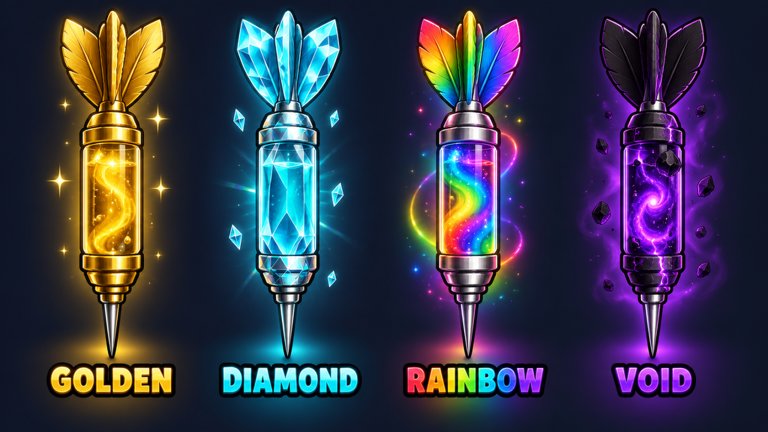
Dart Dash (Dart & Dash) is built for PC, console, mobile, and tablet, so the same hunt loop feels different on each input. This controls guide maps the actions you need every session—aiming the dart, picking up sleeping animals, sprinting home, opening Rewards/Codes, and tuning sensitivity—so you lose fewer catches to clumsy thumbs instead of bad routes.
Pair this page with Getting Started, How to Catch Animals, and Weapon Upgrades. Platform quirks change after patches; re-check Updates if a button moved.
Universal actions (every platform)
| Action | Why it matters |
|---|---|
| Aim + fire dart | Starts the sleep window that makes a catch possible |
| Move / sprint | Determines whether you finish the carry before a wake |
| Interact / pick up | Lifts a sleeping animal for transport |
| Place in zoo | Banks income; empty hands earn nothing |
| Open Rewards / Codes / Shop | Claims Like + group gifts and future promo strings |
| Open Index / collection UI | Tracks forms for the Animal Index |
Exact key glyphs and touch icons can shift with Roblox UI skins. If a label differs in your build, match by function, not by a single English word.
PC controls
- Use mouse look for precision aim; fire with the primary action binding Roblox shows for tools.
- Keep sprint on a finger you can hold during the entire return trip—most devour fails happen when players release sprint mid-carry.
- Bind or remember a comfortable key for interacting with sleeping animals and zoo pads.
- Open the experience menu to reach settings; raise FOV slightly if animals leave the frame too early on wide courses.
- After each weapon range upgrade, take ten practice shots so mouse distance recalibrates.
PC is the easiest place to paste future promo codes from the Codes Hub without autocorrect sabotage.
Mobile and tablet controls
- Stabilize the device: a two-thumb grip beats one-hand play when you must aim and sprint together.
- Fire only when the reticle settles—mobile lag plus twitch shots create clean misses on mid-course animals.
- If carry stutter wakes animals you cannot react to, lower graphics quality in Roblox settings.
- Paste codes from the clipboard when they exist; disable autocorrect for alphanumeric strings (How to Redeem).
- Landscape mode usually gives a wider sightline for dart leads on moving targets.
Tablet players get a PC-like view with mobile input—treat sensitivity like mobile, routes like PC.
Console controls
- Reduce stick dead zones until micro-aim feels honest, then raise look sensitivity in small steps.
- Practice flick shots on early-course commons before hunting far rares.
- Hold sprint on a bumper/trigger you will not accidentally release while steering.
- On-screen keyboards are slow for codes—redeem on PC with the same Roblox account when long strings arrive.
- Recheck dead zones after major range upgrades; the same stick flick covers more world distance.
Settings checklist before a serious hunt
- Confirm Like + StuDuoGames group membership so free gifts stay claimable (Free Gifts).
- Set aim sensitivity for your device; do not copy a friend’s PC value onto mobile.
- Clear enough stamina/sprint comfort for your highest unlocked treadmill course.
- Know where Rewards, Index, and Shop live so you are not hunting menus mid-sleep timer.
- Join a quieter server if contested spawns force panic turns that break aim.
Carry ergonomics (input-side tips)
Controls do not replace route skill, but bad input makes good routes fail:
- Pre-hold sprint before you pick up whenever the animal is already mid-timer.
- Avoid optional camera flourishes during a haul—keep the path centered.
- On mobile, lift a thumb off chat/emote wheels; accidental UI taps cancel momentum.
- If an animal stirs, decide abort vs burst in under a second (Survive the Carry).
Training drills (15 minutes)
- Aim lane: ten stationary shots at max comfortable range.
- Moving lead: ten shots on walking commons.
- Sprint hold: three full carries without releasing sprint.
- UI flash: open Rewards once, Index once, then immediately resume a hunt so muscle memory finds panels under stress.
- Spend cash on the next weapon or treadmill step before you log off (Zoo Income).
Accessibility and comfort
- Take breaks after devour streaks; tilt ruins aim more than gear gaps.
- If color effects on mutations distract you, hunt base forms first and chase Gold+ later (Mutations).
- Use headphones for wake audio cues when visual clutter is high on far courses.
Related pages
Frequently Asked Questions
Quick answers to the most common questions.
Does Dart Dash support mobile and console?
Yes. The experience is playable on PC, console, mobile, and tablet. Aim feel differs by device, but the hunt loop is the same.
What should I bind or prioritize first?
Reliable dart fire and a sprint input you can hold for the whole carry. Everything else is secondary until carries stick.
Why does my aim feel worse after a weapon upgrade?
Longer range changes how far a stick or mouse flick travels in the world. Recalibrate with ten practice shots after each upgrade.
Where are codes and free gifts on each platform?
Open the Rewards / Free Gifts / Codes / Shop style panels in-game. Labels can move after patches—see Free Gifts and How to Redeem.
Should I change graphics on mobile?
If hitching causes wake-ups you cannot react to, lower graphics. Stable frames beat max visuals during carries.